

What are the differences between LCD backlights for monitors and projectors?
Leave a message

As an LCD Backlight supplier, I've had the privilege of working closely with both monitor and projector manufacturers. Over the years, I've witnessed firsthand the distinct requirements and characteristics of LCD backlights for these two types of devices. In this blog, I'll delve into the differences between LCD backlights for monitors and projectors, shedding light on the unique challenges and considerations for each application.
1. Brightness Requirements
One of the most significant differences between LCD backlights for monitors and projectors lies in their brightness requirements. Monitors are typically used in close - range viewing environments, such as offices or home setups. The average ambient light in these spaces is relatively low, so monitors don't need to be extremely bright. A typical monitor backlight has a brightness level ranging from 250 to 500 nits. This level of brightness is sufficient for tasks like web browsing, document editing, and watching videos.
On the other hand, projectors are designed to display images on large screens in various environments, including well - lit rooms. To ensure that the projected image is clear and visible, projectors require much higher brightness levels. The brightness of a projector is measured in lumens, and most home projectors have a brightness of at least 2000 lumens, while commercial and professional projectors can reach up to 10,000 lumens or more.
As an LCD Backlight supplier, we need to engineer different backlight solutions to meet these varying brightness needs. For monitors, we focus on optimizing energy efficiency while maintaining a suitable brightness level. For projectors, we use high - intensity light sources and advanced optical designs to achieve the necessary brightness. You can find more information about our LCD Backlight solutions on our website LCD Backlight.
2. Color Accuracy
Color accuracy is another crucial factor that differentiates LCD backlights for monitors and projectors. Monitors are often used for tasks that demand high - precision color representation, such as graphic design, photo editing, and video production. Therefore, monitor backlights need to provide a wide color gamut and excellent color accuracy.
Modern monitor backlights, especially those using LED technology, can cover a large portion of the sRGB or Adobe RGB color spaces. This allows users to see colors as they were intended, ensuring that the final output matches the original design. Some high - end monitors even support wider color gamuts like DCI - P3, which is commonly used in the film industry.
Projectors, however, face different challenges when it comes to color accuracy. While color accuracy is still important, projectors need to balance it with brightness and contrast. In a projection environment, factors such as the screen material, ambient light, and the distance between the projector and the screen can all affect the perceived color. As a result, projector backlights may not achieve the same level of color accuracy as monitor backlights.
At our company, we develop different color - enhancement technologies for monitors and projectors. For monitors, we use advanced color filters and LED drivers to fine - tune the color output. For projectors, we focus on optimizing the light source and optical system to provide a good balance between color, brightness, and contrast. Our LED Backlight with Fluorescent Colors technology is one of the solutions we offer to improve color performance in projectors.
3. Contrast Ratio
The contrast ratio is a measure of the difference between the brightest white and the darkest black that a display can produce. It has a significant impact on the overall visual experience.
Monitors typically require a high contrast ratio to display sharp images with rich details. A good monitor can have a contrast ratio of 1000:1 or higher, which means that the white areas are 1000 times brighter than the black areas. High - end monitors can even achieve contrast ratios of 3000:1 or more, thanks to advanced backlight technologies such as local dimming.
Projectors, on the other hand, often struggle to achieve high contrast ratios, especially in well - lit environments. The large size of the projected image and the presence of ambient light can make it difficult to produce deep blacks. However, some projectors use technologies like dynamic iris to improve the contrast ratio. A projector with a high contrast ratio can produce more vivid and realistic images, especially in dark scenes.
As an LCD Backlight supplier, we design different backlight architectures for monitors and projectors to address their contrast requirements. For monitors, we may use edge - lit or full - array local dimming backlights to enhance the contrast. For projectors, we focus on optimizing the light modulation and control to achieve a better balance between brightness and contrast.
4. Form Factor and Size
The form factor and size of the LCD backlight also vary depending on whether it is for a monitor or a projector. Monitors come in a wide range of sizes, from small portable monitors to large - screen gaming and professional monitors. However, the overall form factor of a monitor backlight is relatively flat and compact, as it needs to fit within the thin bezel of the monitor.
Projectors, on the other hand, have a more complex form factor. The backlight system in a projector needs to be integrated with other components such as the lens, cooling system, and projection mechanism. Projectors can be either compact and portable or large and stationary, depending on their intended use.
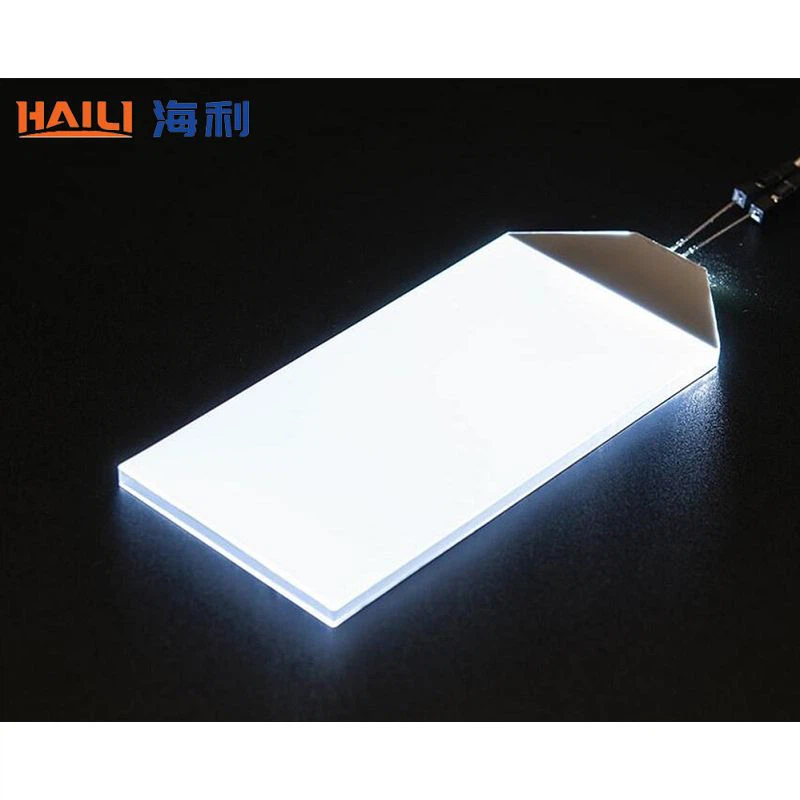

Our team of engineers at the LCD Backlight supplier is experienced in designing backlights with different form factors. We work closely with monitor and projector manufacturers to develop custom - made backlight solutions that fit their specific product designs.
5. Lifespan and Reliability
Lifespan and reliability are important considerations for both monitors and projectors. Monitors are often used for long periods of time, and users expect them to have a long lifespan without significant degradation in performance. The backlight is one of the key components that can affect the lifespan of a monitor. LED backlights, which are commonly used in monitors, have a relatively long lifespan of up to 50,000 hours or more.
Projectors, on the other hand, may face more challenging operating conditions. They are often used in different environments, and the high - intensity light sources in projectors can generate a lot of heat. This heat can cause the backlight components to degrade more quickly. Therefore, projector backlights need to be designed with better heat dissipation and cooling mechanisms to ensure a long and reliable lifespan.
As an LCD Backlight supplier, we invest heavily in research and development to improve the lifespan and reliability of our backlight products. We use high - quality materials and advanced manufacturing processes to ensure that our backlights can withstand the rigors of continuous use.
Conclusion
In conclusion, there are several significant differences between LCD backlights for monitors and projectors. These differences stem from the unique requirements of each application, including brightness, color accuracy, contrast ratio, form factor, and lifespan. As an LCD Backlight supplier, we understand these differences and are committed to providing customized backlight solutions for monitor and projector manufacturers.
If you are a monitor or projector manufacturer looking for high - quality LCD backlights, we would love to discuss your specific needs. Our team of experts can work with you to develop the perfect backlight solution for your products. Contact us today to start the procurement negotiation process and take your displays to the next level.
References
- "Fundamentals of Display Technology" by Peter J. Bos
- "Advanced Lighting Technologies for Displays" by various authors in the field of display engineering


