

What is the viewing distance of a 3.2 Inch TFT LCD Display?
Leave a message

The viewing distance of a display is a crucial factor that significantly impacts the user experience, influencing aspects such as visual comfort, detail perception, and overall enjoyment. As a supplier of 3.2 Inch TFT LCD Displays, I am often asked about the optimal viewing distance for our products. In this blog post, I'll delve into the concept of viewing distance, explain how it is determined, and provide guidelines for the ideal viewing distance of a 3.2 Inch TFT LCD Display.
Understanding Viewing Distance
Viewing distance refers to the distance between the viewer's eyes and the display screen. It plays a vital role in ensuring that the user can perceive the content on the screen clearly, comfortably, and without unnecessary strain. The appropriate viewing distance depends on several factors, including the display's size, resolution, pixel pitch, and the type of content being viewed.
Factors Affecting Viewing Distance
Display Size
The size of the display is one of the most significant factors influencing the viewing distance. Generally, larger displays require a greater viewing distance to allow the viewer to take in the entire screen without having to move their eyes or head excessively. Conversely, smaller displays can be viewed from a closer distance.
Resolution
The resolution of a display refers to the number of pixels it contains. Higher-resolution displays can display more detailed images and text, allowing the viewer to perceive finer details from a closer distance. Lower-resolution displays, on the other hand, may require a greater viewing distance to avoid pixelation and ensure a clear image.
Pixel Pitch
Pixel pitch is the distance between the centers of two adjacent pixels on a display. A smaller pixel pitch means that the pixels are closer together, resulting in a higher pixel density and a sharper image. Displays with a smaller pixel pitch can be viewed from a closer distance without losing image quality.
Content Type
The type of content being viewed also affects the optimal viewing distance. For example, text-based content may require a closer viewing distance to ensure legibility, while video or image content may be more comfortable to view from a slightly greater distance.
Determining the Viewing Distance of a 3.2 Inch TFT LCD Display
To determine the optimal viewing distance for a 3.2 Inch TFT LCD Display, we need to consider the factors mentioned above. A 3.2 Inch TFT LCD Display is relatively small, which means it can be viewed from a closer distance compared to larger displays. However, the resolution and pixel pitch of the display also play a crucial role in determining the ideal viewing distance.
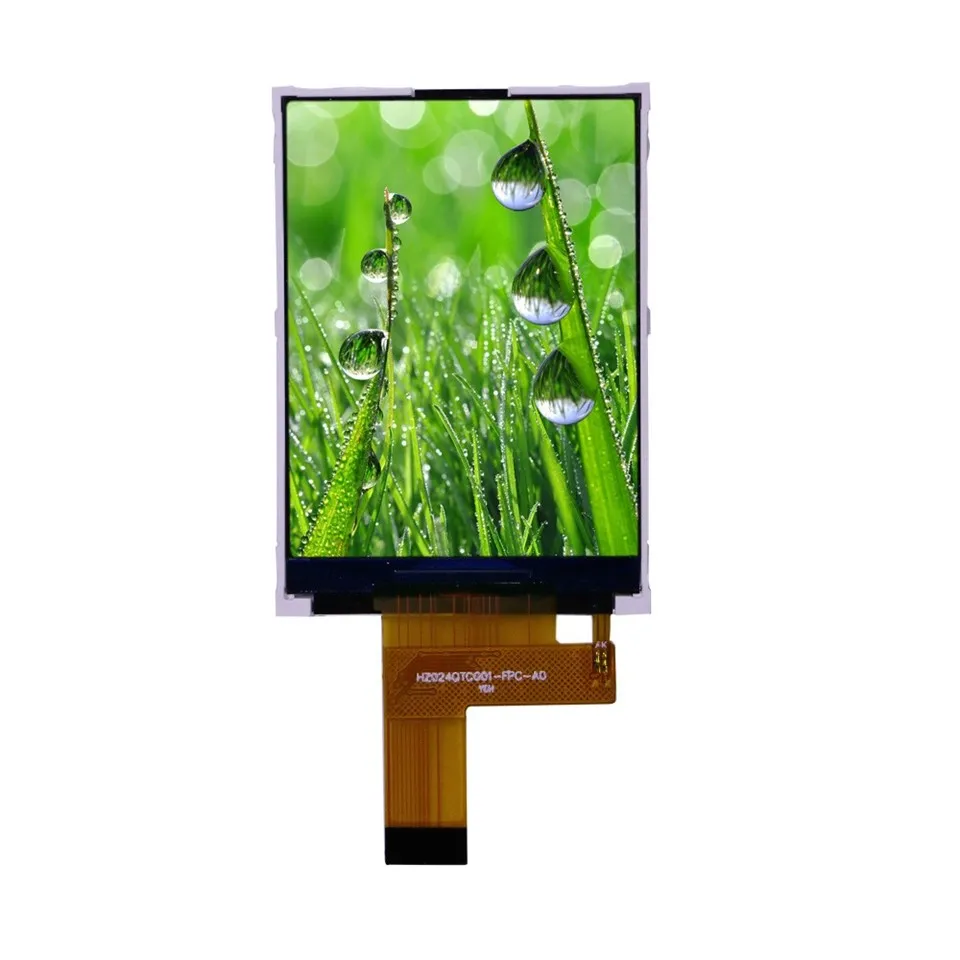

Resolution and Pixel Pitch
Most 3.2 Inch TFT LCD Displays have a resolution of 320x240 or 480x320 pixels. These resolutions are suitable for displaying basic text, images, and simple graphics. The pixel pitch of a 3.2 Inch TFT LCD Display typically ranges from 0.1 to 0.2 mm.
Recommended Viewing Distance
Based on the size, resolution, and pixel pitch of a 3.2 Inch TFT LCD Display, the recommended viewing distance is typically between 10 and 20 centimeters (4 to 8 inches). This distance allows the viewer to perceive the content on the screen clearly and comfortably without having to strain their eyes.
Benefits of Optimal Viewing Distance
Maintaining the optimal viewing distance for a 3.2 Inch TFT LCD Display offers several benefits, including:
Visual Comfort
Viewing the display from the appropriate distance reduces eye strain and fatigue, allowing the viewer to use the display for extended periods without discomfort.
Clear Image Quality
The optimal viewing distance ensures that the viewer can perceive the content on the screen clearly, without pixelation or blurring.
Enhanced Detail Perception
Viewing the display from the right distance allows the viewer to appreciate the finer details of the content, such as text, images, and graphics.
Other Considerations
In addition to the factors mentioned above, there are a few other considerations to keep in mind when determining the viewing distance of a 3.2 Inch TFT LCD Display:
Lighting Conditions
The lighting conditions in the environment where the display is used can also affect the optimal viewing distance. Bright lighting may require a slightly greater viewing distance to reduce glare and ensure a clear image, while dim lighting may allow for a closer viewing distance.
User Preferences
Ultimately, the optimal viewing distance may vary depending on the individual user's preferences and visual acuity. Some users may prefer to view the display from a closer distance, while others may find a slightly greater distance more comfortable.
Related Products
If you're interested in other TFT LCD Display sizes, we also offer 2.2 Inch TFT LCD Display, 2.76 Inch TFT LCD Display, and 2.4 Inch TFT LCD Display. These displays are suitable for a variety of applications, including handheld devices, industrial control panels, and automotive displays.
Conclusion
The viewing distance of a 3.2 Inch TFT LCD Display is an important factor that affects the user experience. By considering the display's size, resolution, pixel pitch, and the type of content being viewed, we can determine the optimal viewing distance to ensure clear image quality, visual comfort, and enhanced detail perception. If you have any questions or need further information about our 3.2 Inch TFT LCD Displays or other products, please feel free to contact us. We're here to help you find the right display solution for your needs.
References
- "Display Technology Handbook," by John P. Friel
- "Optimal Viewing Distance for Displays," by DisplayMate Technologies
- "Understanding Pixel Pitch and Resolution," by TechTarget


