

How to install an HTN LCD display?
Leave a message

Installing an HTN LCD display might seem like a daunting task, but with the right guidance, it can be a straightforward process. As a reliable HTN LCD display supplier, I'm here to walk you through the installation steps to ensure a successful setup.
Understanding HTN LCD Displays
Before diving into the installation process, it's essential to understand what an HTN (High-Twist Nematic) LCD display is. HTN LCDs are a type of monochrome display known for their high contrast and wide viewing angles. They are commonly used in various applications, including industrial control panels, medical devices, and consumer electronics.
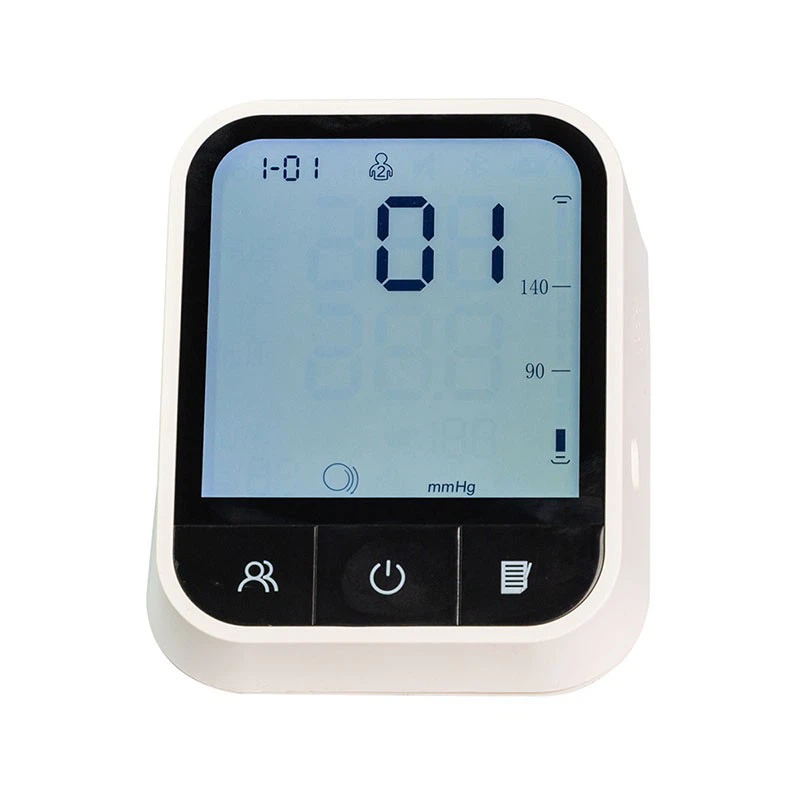
One of our popular products is the Positive Transmissive HTN LCD Display, which offers excellent visibility and performance in different lighting conditions.
Tools and Materials Needed
To install an HTN LCD display, you'll need the following tools and materials:
- HTN LCD Display: Ensure you have the correct model and size for your application.
- Mounting Hardware: This may include screws, brackets, or adhesive tape, depending on the mounting method.
- Soldering Iron and Solder: If the display requires soldering connections.
- Multimeter: To test the electrical connections and ensure proper functionality.
- Cleaning Supplies: Such as isopropyl alcohol and a lint-free cloth to clean the display and mounting surface.
Step 1: Prepare the Workspace
Before starting the installation, it's crucial to prepare a clean and static-free workspace. Static electricity can damage the LCD display, so it's recommended to use an anti-static mat and wear an anti-static wrist strap.
Clean the mounting surface where the display will be installed using isopropyl alcohol and a lint-free cloth. This will remove any dust, dirt, or grease that could affect the adhesion or alignment of the display.

Step 2: Inspect the Display
Carefully inspect the HTN LCD display for any visible damage or defects. Check the screen for scratches, cracks, or dead pixels, and examine the connectors for any bent or damaged pins. If you notice any issues, contact your supplier immediately for a replacement.
Step 3: Determine the Mounting Method
There are several mounting methods available for HTN LCD displays, including:
- Screw Mounting: This is the most common method and involves using screws to secure the display to the mounting surface. Make sure to use the appropriate size and type of screws for your application.
- Bracket Mounting: Brackets can be used to provide additional support and flexibility when mounting the display. They are especially useful for larger or heavier displays.
- Adhesive Mounting: Adhesive tape or glue can be used to attach the display to the mounting surface. This method is suitable for lightweight displays and applications where drilling holes is not possible.
Choose the mounting method that best suits your application and follow the manufacturer's instructions for installation.
Step 4: Connect the Display
Once the display is mounted, it's time to connect it to the power source and the control board. The connection method will depend on the type of display and the control board you are using.
- Soldering Connections: If the display requires soldering connections, use a soldering iron and solder to connect the pins on the display to the corresponding pads on the control board. Make sure to follow the proper soldering techniques to avoid short circuits or damage to the components.
- Connector Plugging: Some displays come with pre-attached connectors that can be plugged directly into the control board. Make sure to align the connector correctly and apply gentle pressure to ensure a secure connection.
Step 5: Test the Display
After connecting the display, it's important to test it to ensure it is working properly. Connect the power source and turn on the control board. Check the display for any signs of life, such as backlighting or text display.
Use a multimeter to test the electrical connections and ensure that the voltage and current are within the specified range. If you encounter any issues, double-check the connections and consult the manufacturer's troubleshooting guide.
Step 6: Adjust the Display Settings
Once the display is working properly, you may need to adjust the display settings to optimize its performance. This may include adjusting the contrast, brightness, and viewing angle.
Refer to the manufacturer's instructions for the specific display model to learn how to adjust the settings. Some displays may require the use of a software utility or a control panel to make the adjustments.
Step 7: Secure the Display
After testing and adjusting the display settings, it's important to secure the display to prevent it from moving or becoming loose. Use the appropriate mounting hardware to tighten the screws or brackets and ensure a secure fit.
Step 8: Final Checks
Before completing the installation, perform a final check to ensure that everything is in place and working properly. Check the display for any signs of damage or loose connections, and make sure that the mounting hardware is secure.
Turn off the power source and disconnect the display from the control board. Clean the display and the surrounding area to remove any fingerprints or debris.
Conclusion
Installing an HTN LCD display is a relatively simple process that can be completed with the right tools and knowledge. By following the steps outlined in this guide, you can ensure a successful installation and enjoy the benefits of a high-quality display.
If you have any questions or need further assistance with the installation process, please don't hesitate to contact us. As a leading HTN LCD display supplier, we are committed to providing our customers with the best products and support. Whether you're looking for a standard display or a custom solution, we have the expertise and resources to meet your needs. Contact us today to discuss your requirements and start the procurement process.
References
- Manufacturer's documentation for the HTN LCD display
- Industry standards and best practices for LCD display installation


