

What causes lines to appear on an STN LCD display?
Leave a message

As a long - standing STN LCD display supplier, I've received numerous inquiries from clients regarding the appearance of lines on STN LCD displays. In this blog, I'll delve into the various factors that can cause these lines, helping you understand and potentially address the issue.
1. Manufacturing Defects
a. Alignment Issues
During the manufacturing process of STN LCDs, the liquid crystal molecules need to be precisely aligned between two substrates. If there are misalignments, it can lead to irregular light transmission, resulting in visible lines on the display. For example, when the rubbing process, which is used to align the liquid crystal molecules, is not carried out uniformly, some areas of the display may have a different orientation of the molecules. This can cause light to be refracted or absorbed differently in those regions, creating distinct lines.

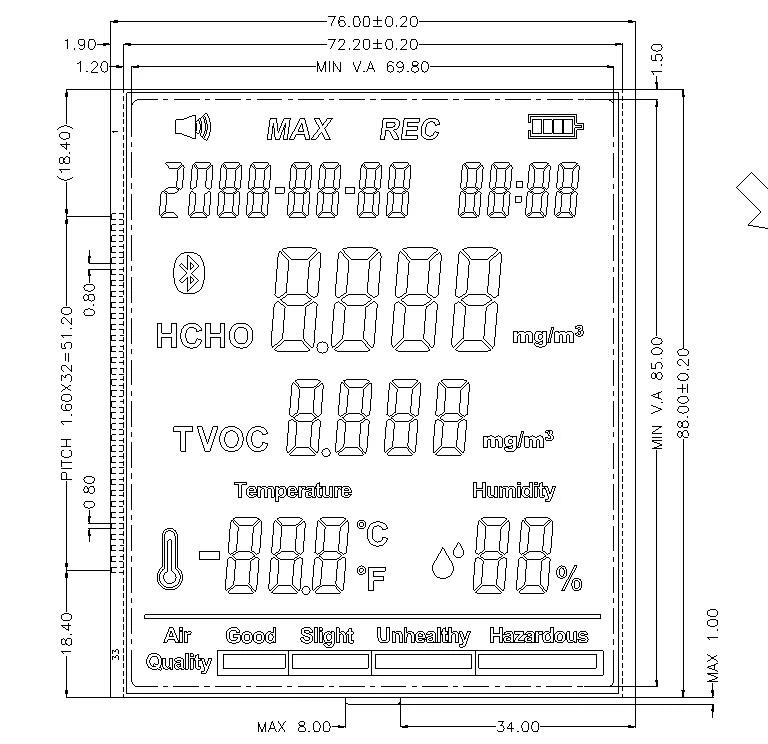
b. Impurities in the Liquid Crystal Material
The liquid crystal material used in STN LCDs must be of high purity. Even a small amount of impurities can disrupt the normal behavior of the liquid crystal molecules. These impurities can act as obstacles, preventing the molecules from aligning properly or changing their electrical properties. As a result, lines may appear on the display. Manufacturing facilities need to have strict quality control measures in place to ensure the purity of the liquid crystal material.
c. Defective Substrates
The substrates that hold the liquid crystal layer are crucial components. If there are scratches, cracks, or uneven surfaces on the substrates, it can affect the alignment of the liquid crystal molecules. For instance, a scratch on the substrate can cause a local disruption in the alignment, leading to a line - like defect on the display. Substrate inspection during the manufacturing process is essential to detect and reject defective ones.
2. Electrical Problems
a. Faulty Driver ICs
The driver integrated circuits (ICs) are responsible for controlling the electrical signals sent to the individual pixels on the STN LCD display. If a driver IC malfunctions, it may not be able to provide the correct voltage or current to the pixels. This can result in inconsistent pixel activation, leading to the appearance of horizontal or vertical lines on the display. For example, a short - circuit in a driver IC can cause a group of pixels to remain in a constant state, creating a visible line.
b. Poor Electrical Connections
Weak or loose electrical connections between the display panel, the driver ICs, and the printed circuit board (PCB) can also cause line issues. When the electrical signals are not transmitted properly due to poor connections, the pixels may not function as intended. This can lead to intermittent or continuous lines on the display. Regular inspection and maintenance of the electrical connections can help prevent such problems.
c. Power Supply Fluctuations
STN LCD displays require a stable power supply to operate correctly. Fluctuations in the power supply voltage or current can cause the liquid crystal molecules to respond erratically. For example, if the power supply voltage drops suddenly, some pixels may not receive enough power to change their state, resulting in lines on the display. Using a high - quality power supply and implementing voltage regulation circuits can help maintain a stable power supply.
3. Environmental Factors
a. Temperature and Humidity
Extreme temperatures and high humidity levels can have a significant impact on the performance of STN LCD displays. At low temperatures, the viscosity of the liquid crystal material increases, which can slow down the response time of the molecules. This may cause some pixels to change their state more slowly than others, resulting in visible lines. High humidity can also cause moisture to penetrate the display, which can damage the electrical components and affect the alignment of the liquid crystal molecules.
b. Mechanical Stress
Physical stress on the STN LCD display, such as bending, pressing, or dropping, can cause damage to the internal components. Mechanical stress can break the fragile electrical connections, misalign the liquid crystal molecules, or crack the substrates. For example, if a display is accidentally dropped, it may develop lines due to the internal damage caused by the impact.
c. Exposure to Light
Prolonged exposure to intense light, especially ultraviolet (UV) light, can degrade the liquid crystal material and the polarizers in the STN LCD display. UV light can break down the chemical bonds in the liquid crystal molecules, altering their properties. This can lead to the appearance of lines and a reduction in the overall display quality. Display applications in bright environments should use proper shielding or anti - UV coatings.
4. Aging of Components
a. Liquid Crystal Degradation
Over time, the liquid crystal material in STN LCD displays can degrade. The continuous application of electrical fields and exposure to environmental factors can cause the liquid crystal molecules to lose their ability to align properly. As the liquid crystal degrades, lines may start to appear on the display. The rate of degradation depends on various factors, such as the quality of the liquid crystal material, the operating conditions, and the usage frequency.
b. Polarizer Deterioration
Polarizers are essential components in STN LCD displays that control the polarization of light. With age, polarizers can become discolored, lose their polarization efficiency, or develop cracks. These issues can affect the light transmission through the display, resulting in the appearance of lines. Replacing the polarizers may be necessary to restore the display quality.
c. PCB and Component Wear
The printed circuit board (PCB) and other electronic components in the STN LCD display can also experience wear and tear over time. Solder joints may become loose, and components may fail due to long - term use. This can lead to electrical problems and the appearance of lines on the display. Regular maintenance and component replacement can help extend the lifespan of the display.
Conclusion
Lines on an STN LCD display can be caused by a variety of factors, including manufacturing defects, electrical problems, environmental factors, and component aging. As a professional STN LCD display supplier, we are committed to providing high - quality products and solutions to our customers. If you are experiencing line issues with your STN LCD display or are interested in our Positive Transmmisive STN LCD Display, please feel free to contact us for further discussion and potential procurement. We have a team of experts who can assist you in troubleshooting and finding the best display solutions for your needs.
References
- "Liquid Crystal Displays: Fundamentals and Applications" by Shin - Tson Wu and Dai - Jun Yang
- "LCD Technology Handbook" edited by Peter J. Bos
- Technical reports from major LCD manufacturers and research institutions.


