

What functions does the driver IC of a Segment COG LCD Display perform?
Leave a message

Hey there! I'm working with a Segment COG LCD Display supply business, and today I wanna chat about the functions of the driver IC in a Segment COG LCD Display.
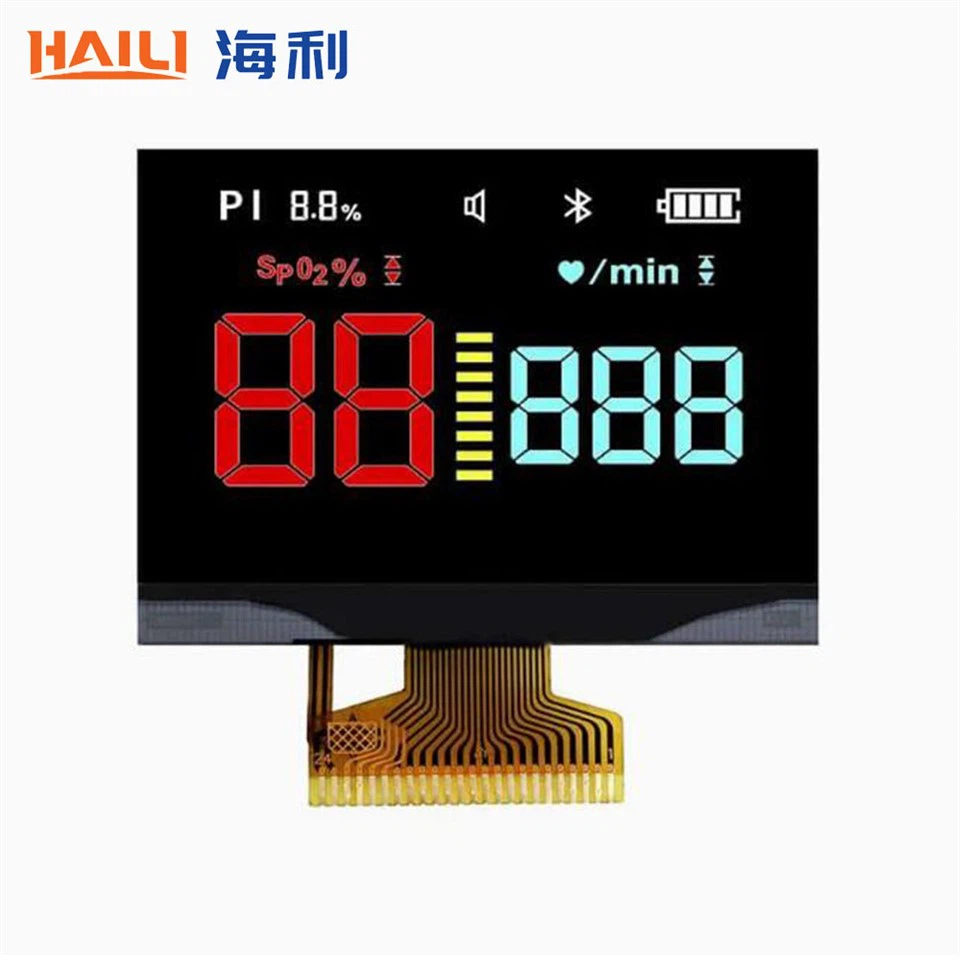
First off, let's understand what a Segment COG LCD Display is. You can check out more info about it on this page: Segment COG LCD Display. It's a type of display that uses the Chip-on-Glass (COG) technology. This means the integrated circuit is directly mounted on the glass substrate of the LCD. It's a pretty cool setup that allows for a more compact and efficient display design.
Now, onto the star of the show - the driver IC. The driver IC in a Segment COG LCD Display has several key functions that are crucial for the display to work properly.
Power Management
One of the most basic but important functions of the driver IC is power management. The LCD needs a specific voltage and current to operate. The driver IC takes the input power, usually from a power supply like a battery or a power adapter, and regulates it to the appropriate levels for the display. It ensures that the display gets just the right amount of power to function efficiently without overheating or getting damaged. For example, if the input voltage is too high, the driver IC will step it down to a safe level. This is super important because if the power isn't managed correctly, the display could flicker, show incorrect colors, or even stop working altogether.
Signal Conversion
The driver IC also plays a big role in signal conversion. The signals that come from the device's main controller, like a microcontroller or a computer, are usually in a digital format. However, the LCD needs analog signals to control the individual segments. The driver IC takes these digital signals and converts them into analog signals that the LCD can understand. This conversion process is essential for displaying the correct information on the screen. For instance, if you're trying to show a number on the display, the digital signal representing that number is converted into analog signals that turn on the appropriate segments of the LCD to form the number.
Segment Control
Another major function is segment control. A Segment COG LCD Display is made up of multiple segments, and each segment needs to be controlled independently to display different patterns or characters. The driver IC receives the converted signals and uses them to control which segments of the LCD are turned on or off. It has the ability to address each segment individually, allowing for a wide range of display options. This is how you can display letters, numbers, symbols, and even simple graphics on the Segment COG LCD Display.
Contrast Adjustment
Contrast is an important aspect of any display. The driver IC allows for contrast adjustment. It can change the voltage applied to the LCD to adjust the contrast level. This is useful because different environments may require different contrast settings. For example, in a bright sunlight, you might need a higher contrast to clearly see the display, while in a dimly lit room, a lower contrast might be sufficient. The driver IC gives you the flexibility to make these adjustments, either manually or automatically depending on the design of the display system.
Memory and Buffering
Some driver ICs come with built - in memory and buffering capabilities. This is handy when the display needs to show complex or dynamic information. The memory can store the data that is going to be displayed, allowing for a smoother and more continuous display. For example, if you're showing an animation or a series of rapidly changing numbers, the driver IC can buffer the data in its memory and then feed it to the display at the right time. This helps in reducing delays and ensuring that the display updates quickly and accurately.
Communication Interface
The driver IC provides a communication interface between the display and the device's main controller. There are different types of communication interfaces, such as SPI (Serial Peripheral Interface) or I2C (Inter - Integrated Circuit). These interfaces allow the main controller to send commands and data to the driver IC. For example, if you want to change the display settings or update the information on the screen, the main controller can use the communication interface to send the relevant instructions to the driver IC. This seamless communication is essential for the overall functionality of the display system.
Temperature Compensation
Temperature can have a significant impact on the performance of an LCD. As the temperature changes, the electrical properties of the LCD can also change, which can affect the display quality. The driver IC can perform temperature compensation. It has sensors that detect the temperature of the display and adjust the signals accordingly. For example, at lower temperatures, the LCD may become less responsive, so the driver IC can increase the voltage or adjust the timing of the signals to maintain the same level of performance. This ensures that the display looks good and works properly in a wide range of temperatures.
Display Initialization
When the display is powered on, the driver IC is responsible for the initialization process. It sets up the display parameters, such as the number of segments, the refresh rate, and the contrast level. It also checks the display for any faults or errors. If there are any issues, the driver IC can send error signals back to the main controller. This initialization process is crucial for getting the display ready to show the correct information from the start.
Compatibility with Different Display Sizes
The driver IC is designed to be compatible with different sizes of Segment COG LCD Displays. Whether it's a small display with just a few segments or a larger one with more complex patterns, the driver IC can adapt to the specific requirements of the display. It can handle different numbers of segments and different display configurations. This makes it a versatile component that can be used in a wide variety of applications.
Display Modes
Some driver ICs support multiple display modes. For example, they can switch between a normal display mode and a low - power mode. In the low - power mode, the driver IC reduces the power consumption of the display by adjusting the voltage and the refresh rate. This is great for battery - powered devices where power conservation is important. You can also find driver ICs that support different display patterns, like blinking or scrolling, adding more functionality to the display.
Examples of Our Products
We offer a range of Segment COG LCD Displays with high - quality driver ICs. For instance, our 240x160 Dots Matrix COG LCD Display Moudle and 160x160 Dots Matrix COG LCD Display Module are designed to work efficiently with the driver ICs. These displays are suitable for various applications, from industrial control panels to consumer electronics.

Conclusion
In conclusion, the driver IC in a Segment COG LCD Display is a crucial component that performs multiple functions. From power management and signal conversion to segment control and contrast adjustment, it ensures that the display works properly and provides a high - quality viewing experience. Whether you're looking for a display for a simple handheld device or a more complex industrial application, understanding the functions of the driver IC can help you choose the right display for your needs.
If you're interested in our Segment COG LCD Displays or have any questions about the driver IC functions, feel free to reach out for a procurement discussion. We're always happy to help you find the best display solution for your project.
References
- LCD Technology Fundamentals, Display Industry Association
- Driver IC Design and Application Guide, Semiconductor Manufacturer's Manual


